Process
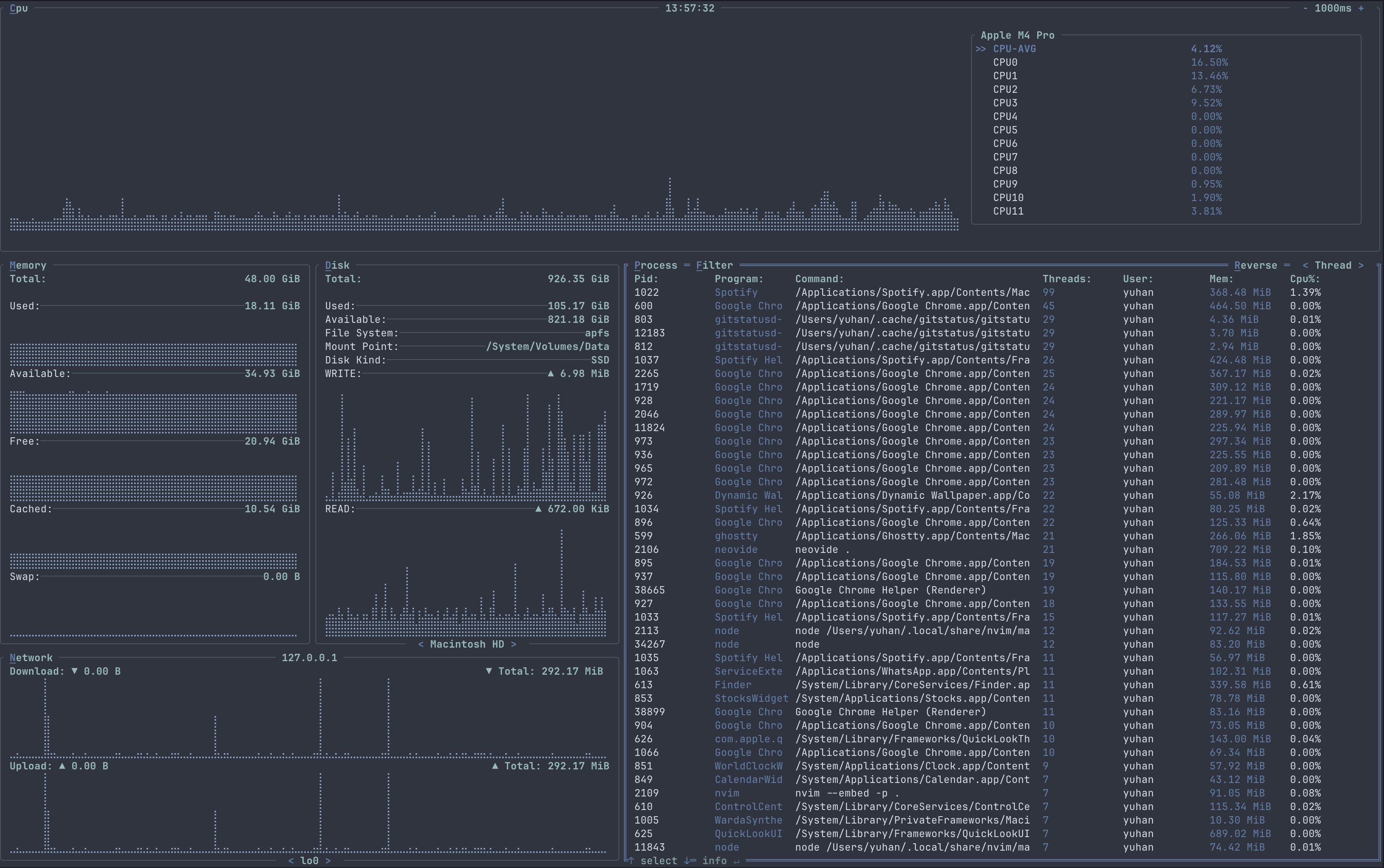
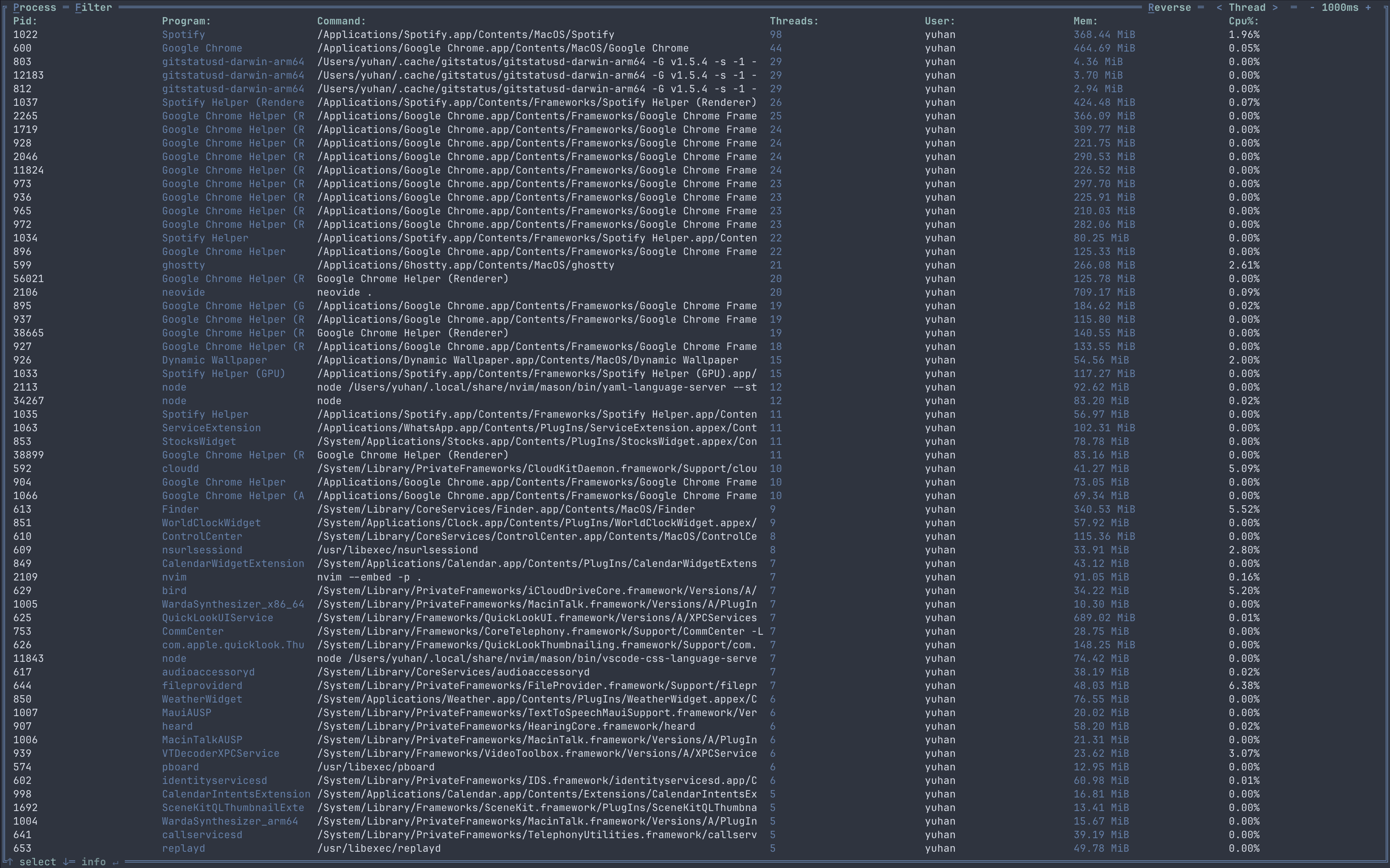
The process container shows a table containing information regarding a running process, along with sorting, filtering, searching, process detail usage graph and process control feature.
In full screen mode
Features
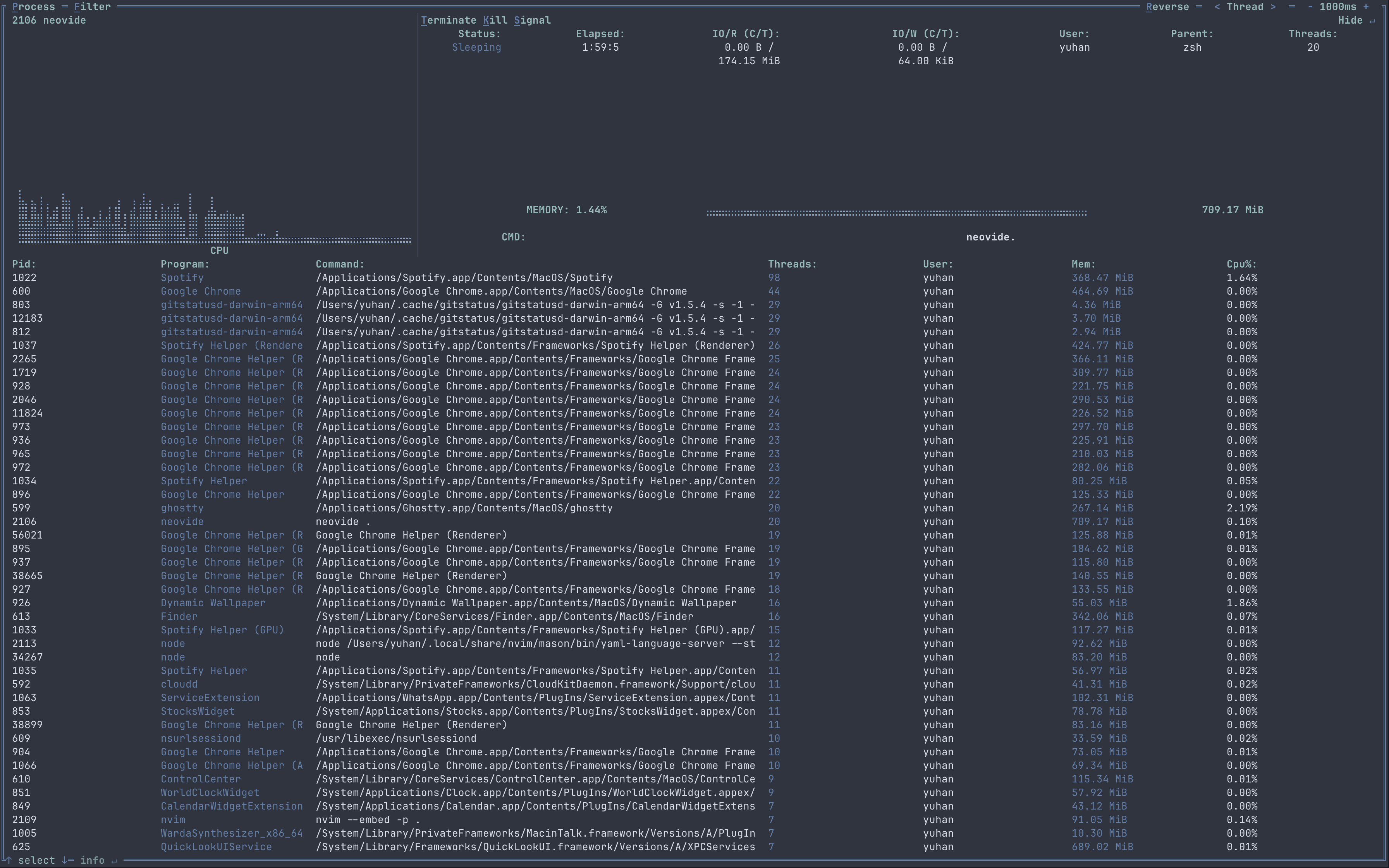
The PROCESS container show a table containing information of a process like PID, memory usage, cpu usage etc. You can also choose to filter the table based on threads count, memory usage, cpu usage, user, PID etc in ascending or descending order. By pressing Enter, you can also see the details of a process like the full command of the process, the cpu and memory usage over time, the process elapsed time etc. Process control was accesible in the process detail window.
Key Bindings
| Binding | Action |
|---|---|
| Esc | To quit full screen mode or unselect PROCESS container |
| Tab | To enter full screen mode for PROCESS container |
| [ | To decrease the graph time for PROCESS container in the process detail window |
| ] | To increase the graph time for PROCESS container in the process detail window |
| P / p | To select or unselect the PROCESS container |
| Up | Move up in the process table |
| Down | Move down in the process table |
| Left | Change to previous sorting method |
| Right | Change to the next sorting method |
| R / r | Chnage the table order to ascending / descending |
| Enter | Open the process detail window for the selected process row |
Process detail window
In the process detail window, more detail for the process will be shown, like the current and total I/O read and write, the elapsed time for the process etc.
Process detail window Key Bindings
| Binding | Action |
|---|---|
| Enter | To close the process detail window |
| T / t | To proceed with termination action for the process |
| K / k | To proceed with kill action for the process |
| S / s | To proceed with signal sending action for the process |
Process termination
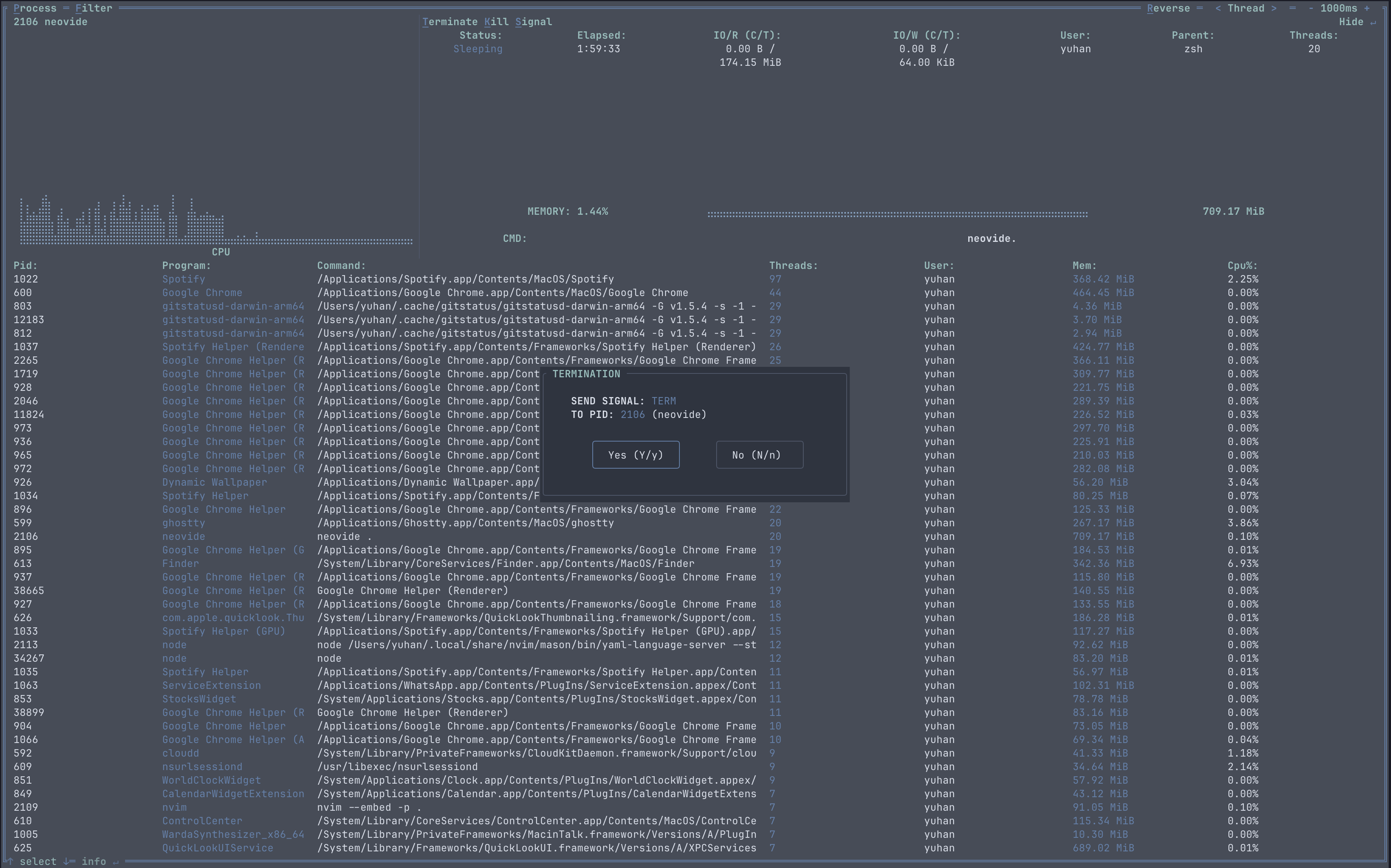
Process termination Key Bindings
| Binding | Action |
|---|---|
| Enter | To confirm and proceed with the selection |
| Esc | To abort the termination action |
| Left / Right | To choose the selection |
| Y / y | To confirm termination action for the process |
| N / N | To cancel termination action for the process |
Process kill
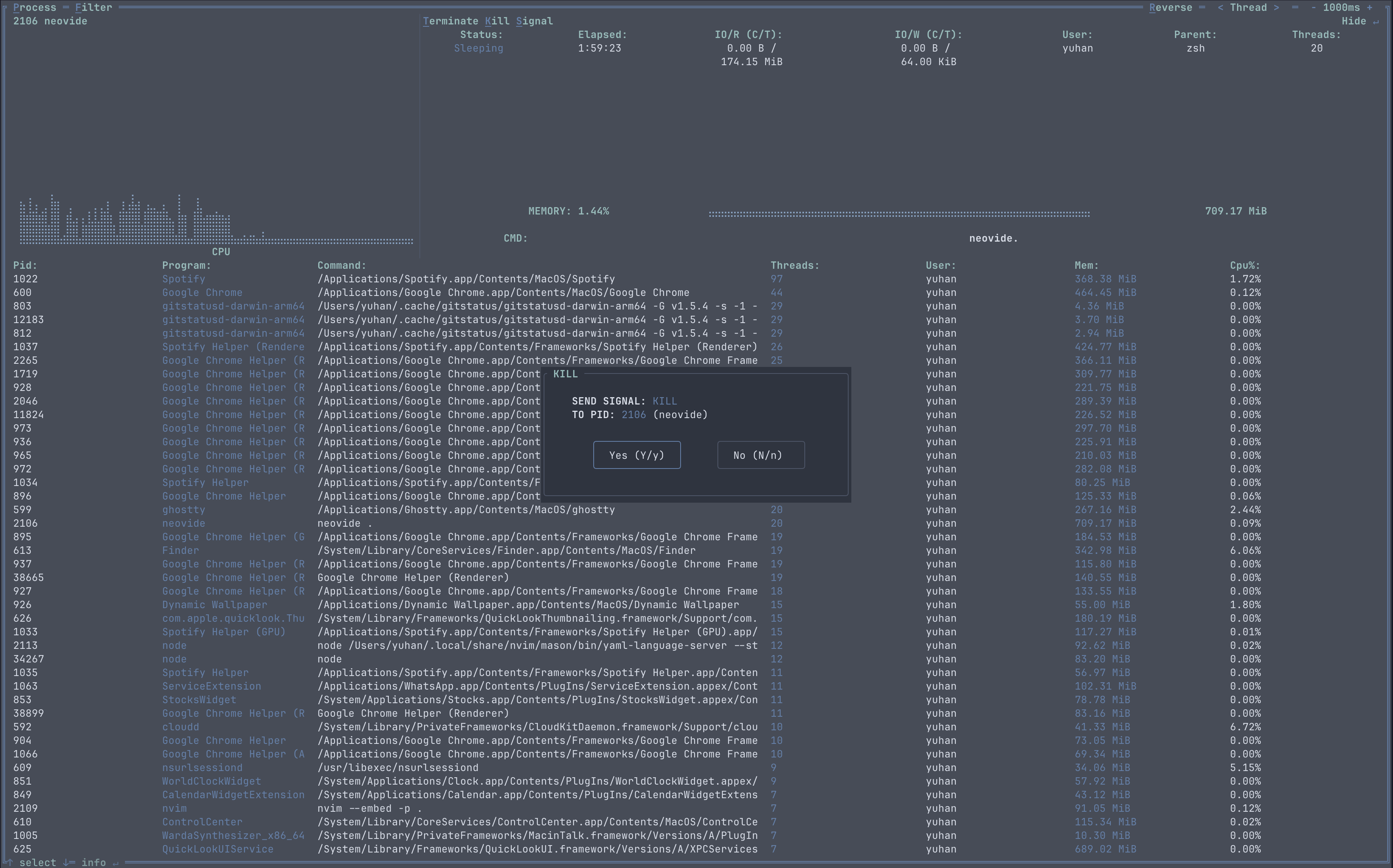
Process kill Key Bindings
| Binding | Action |
|---|---|
| Enter | To confirm and proceed with the selection |
| Esc | To abort the kill action |
| Left / Right | To choose the selection |
| Y / y | To confirm kill action for the process |
| N / N | To cancel kill action for the process |
Process signal sending
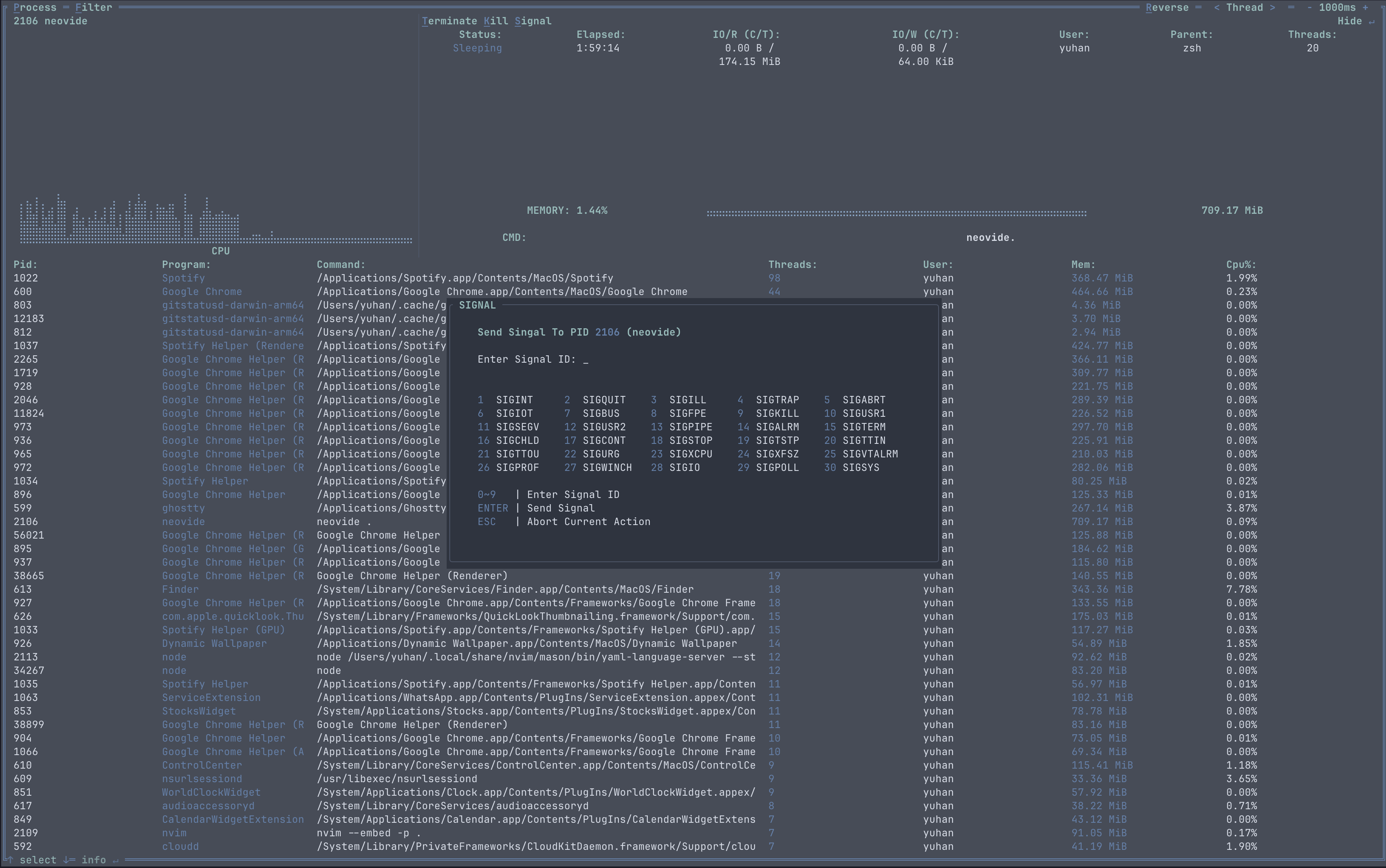
Process signal sending Key Bindings
| Binding | Action |
|---|---|
| Enter | To confirm and proceed with signal sending action |
| Esc | To abort the signal sending action |
| 0 ~ 9 | Key in the sending signal ID (1 ~ 30) |